
Save 37%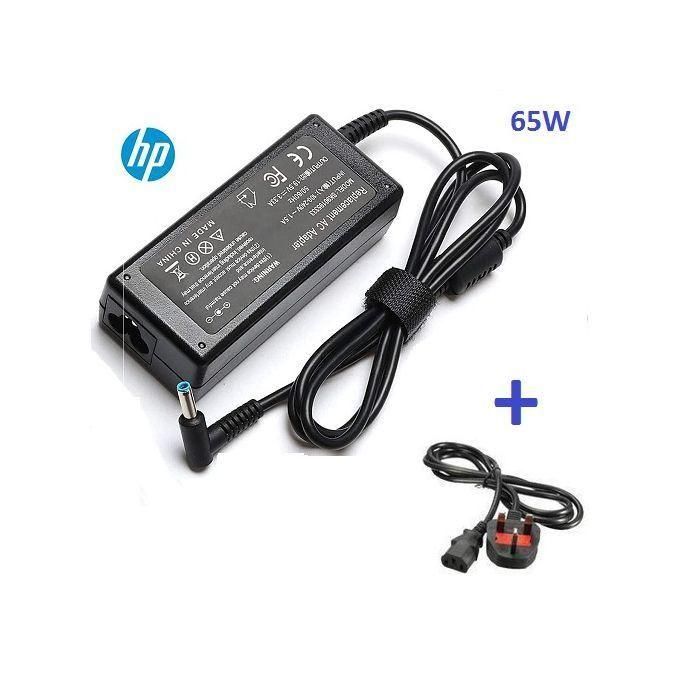
Computing
HP Small Blue Pin Adapter Replacement – 19.5V with Fused Power Cord – Black
GH₵190.00GH₵300.00
In stock
Technology for work, home and play.
Wireless broadband solution for business, professionals, and home use. Connects up to 32 Wi-Fi users simultaneously. Supports 3G, 4G, LTE, and Cat 4 network compatibility. Download and upload speeds of up to 300 Mbps. Features 1 Ethernet/Tel port, 1 LAN port, 1 USB port, and 2 antenna ports. Operates on a 2.4 GHz Wi-Fi frequency. Equipped with a 12V battery for portability. Model number: ZLTS20; available in white.
Choose an available option at checkout.
Payment choice follows delivery details.
Call or WhatsApp 06:00–22:00.
Server-validated price and stock.
Product information
ZTE MTN 4G Universal Cat 4 SIM Router with 1 LAN Port – White Product Description The ZTE MTN 4G Universal Cat 4 SIM Router offers a wireless broadband internet solution designed for businesses, professionals, and home use. Experience fast browsing and download speeds with this reliable device. Simultaneous Connections : Connect up to 32 Wi-Fi users at the same time. Nationwide Connectivity : Enjoy connectivity across the country in 4G and LTE coverage areas at superfast speeds. Product Specifications Model : ZLTS20 Network Compatibility : Supports 3G / 4G / LTE / Cat 4 Download Speed : Up to 300 Mbps Battery Capacity : 12V; 1A Maximum Devices Connected : Connects up to 32 devices simultaneously Ports 1 x Ethernet/Tel Port 1 x LAN Port 1 x RJ-45 PCI Express 1 x USB Port 2 x Antenna Ports Wi-Fi Frequency 2.4 GHz One SIM card slot (Full SIM 1FF) Other Features WPS Button : Yes Wi-Fi Button : Yes How to Change Your MTN MiFi Password Connect to the MiFi and visit 192.168.0.1 . Use admin as the password. Navigate to Wi-Fi settings and change the WLAN key.
At a glance
Customer feedback
No approved reviews yet.
Only moderated reviews are published
Sign in to submit a review. Reviews are moderated before publication.
You may also like
Computing
In stock
Computing
In stock
Computing
In stock
Computing
In stock
Computing
In stock